Available at no cost for Windows, macOS and Linux.
Codex and Claude Code in one thread.
No clone required.
GitDB Desktop is available at no cost and pairs Codex and Claude Code in one app — in local mode on your own folders and git repositories, or signed in to GitDB to work on platform repositories without a local checkout. Either way it drives the Claude Code and Codex CLIs you already have installed, on the subscriptions you already pay for.
Local when you want it. GitDB when you need it.
Both modes come at no cost. Start locally with no account, or sign in to bring the GitDB platform into the same four views.
Local mode — no account required
Open your own folders and local git repositories and work offline. The editor, agent threads and Git workbench run against your local checkout. GitDB platform features are not available in this mode.
GitDB mode — sign in at no charge
Sign in with your GitDB account to connect the app to the GitDB platform: repositories with no clone, durable server-side WIP, semantic search, agent memory — and code rewind for agent turns, including Codex, available only in GitDB mode.
Codex and Claude Code, in one thread.
Start a thread with one agent and switch CLI or model mid-thread — the next agent picks up from a verbatim hand-off of the conversation so far. Every thread keeps its own Changes pane.
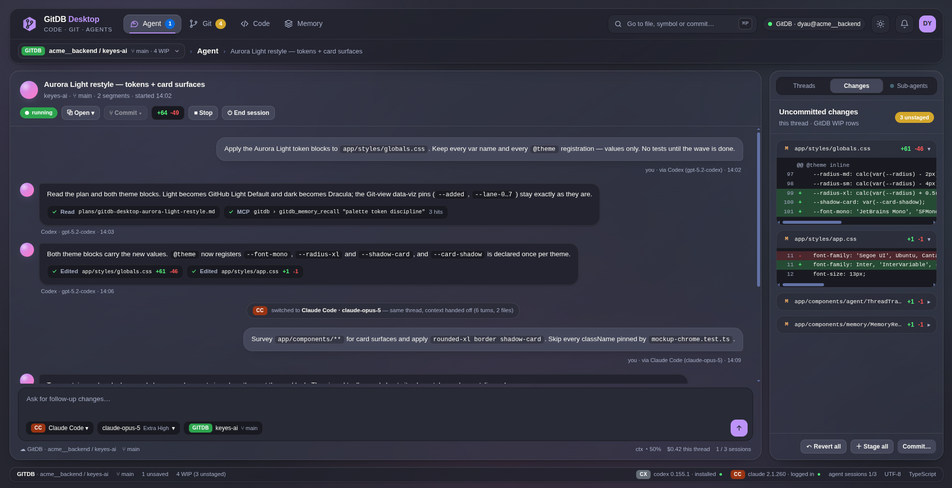
Switch agents mid-thread
Move a thread from Codex to Claude Code, or change the model, without starting over. The hand-off carries the conversation verbatim.
Changes, per thread
Each thread shows the files its agent changed, with diffs you can stage or revert.
Rewind or fork any turn
Go back to any turn, or fork from it — the conversation and, on GitDB repos, the code with it, from server-side WIP history.
A full Git workbench, built in.
History as a graph or a timeline, branches, ref-to-ref diffs, and a symbol outline with an architecture graph — with agent-authored commits highlighted, so you can see what your agents shipped.
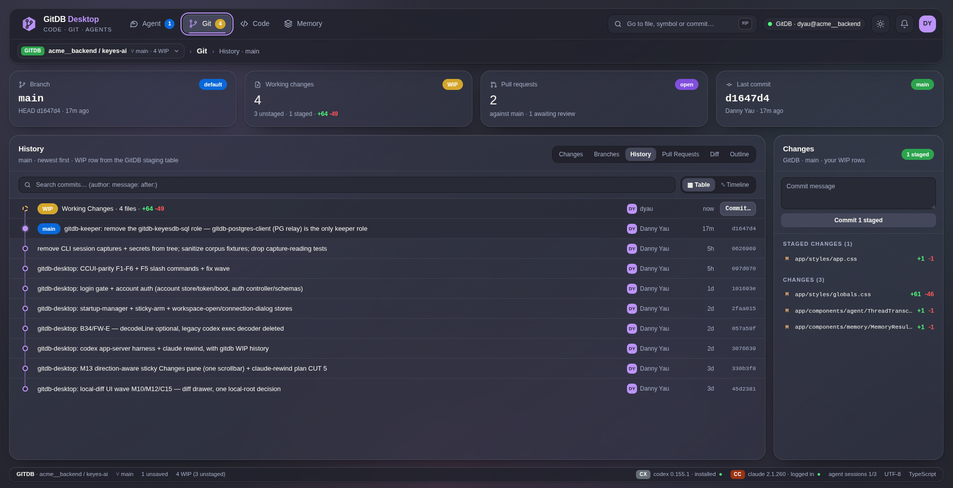
Graph or timeline
Browse history as a commit graph or as a timeline.
Pull request triage
Read pull requests and their CI checks without leaving the app. Triage is read-only.
Diffs and structure
Diff any two refs, and read the code through a symbol outline and an architecture graph.
Edit GitDB repos with no clone.
Open a GitDB repository and edit it in place. ⌘S saves a durable, server-side WIP row — per user, per branch — that survives restarts and follows you from one machine to the next.
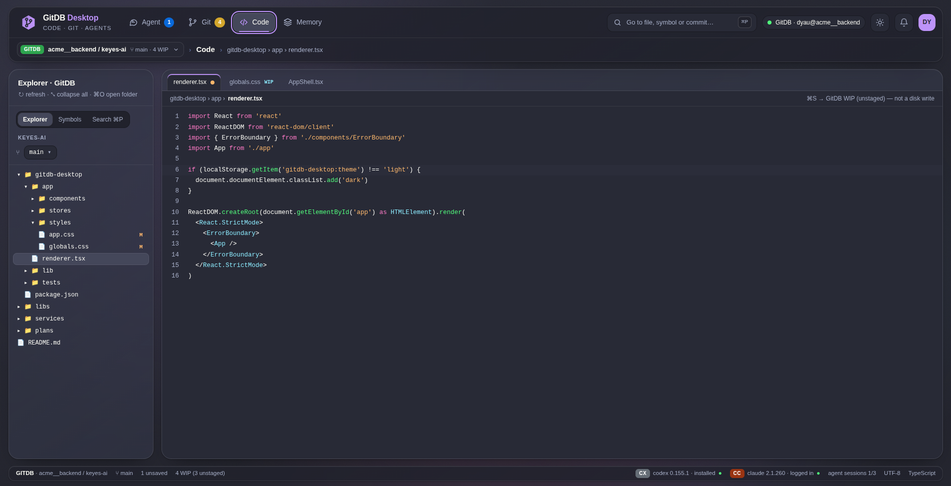
Durable WIP
Every save becomes a WIP row on the server, per user and per branch, so work in progress outlives the session and the machine.
Agents without a checkout
Agents run with no local checkout — on GitDB tools only, or in a read-only sandbox — and their edits land as WIP scoped to their thread.
Your CLIs, your subscriptions
The app drives the claude and codex app-server CLIs you already have installed. It ships no CLI of its own and calls no model API directly.
Memory you can inspect. Access you control.
Inspectable agent memory
The Memory view shows what your agents remember. Recall, store, re-anchor or forget memories, with staleness shown.
Browser sign-in, keychain tokens
Sign in through your browser with PKCE. Tokens are kept only in your operating system's keychain.
Per-tool permission prompts
Agents' tool calls go through per-tool permission prompts.
Windows, macOS and Linux
One desktop app across all three platforms, with the same four views: Code, Git, File and Memory.
Ready to build with
gitdb.co?
Bring your agents to a database built for them. AST-aware retrieval, code-aware memory, and a full A2A swarm — all from $30 per dev per month.